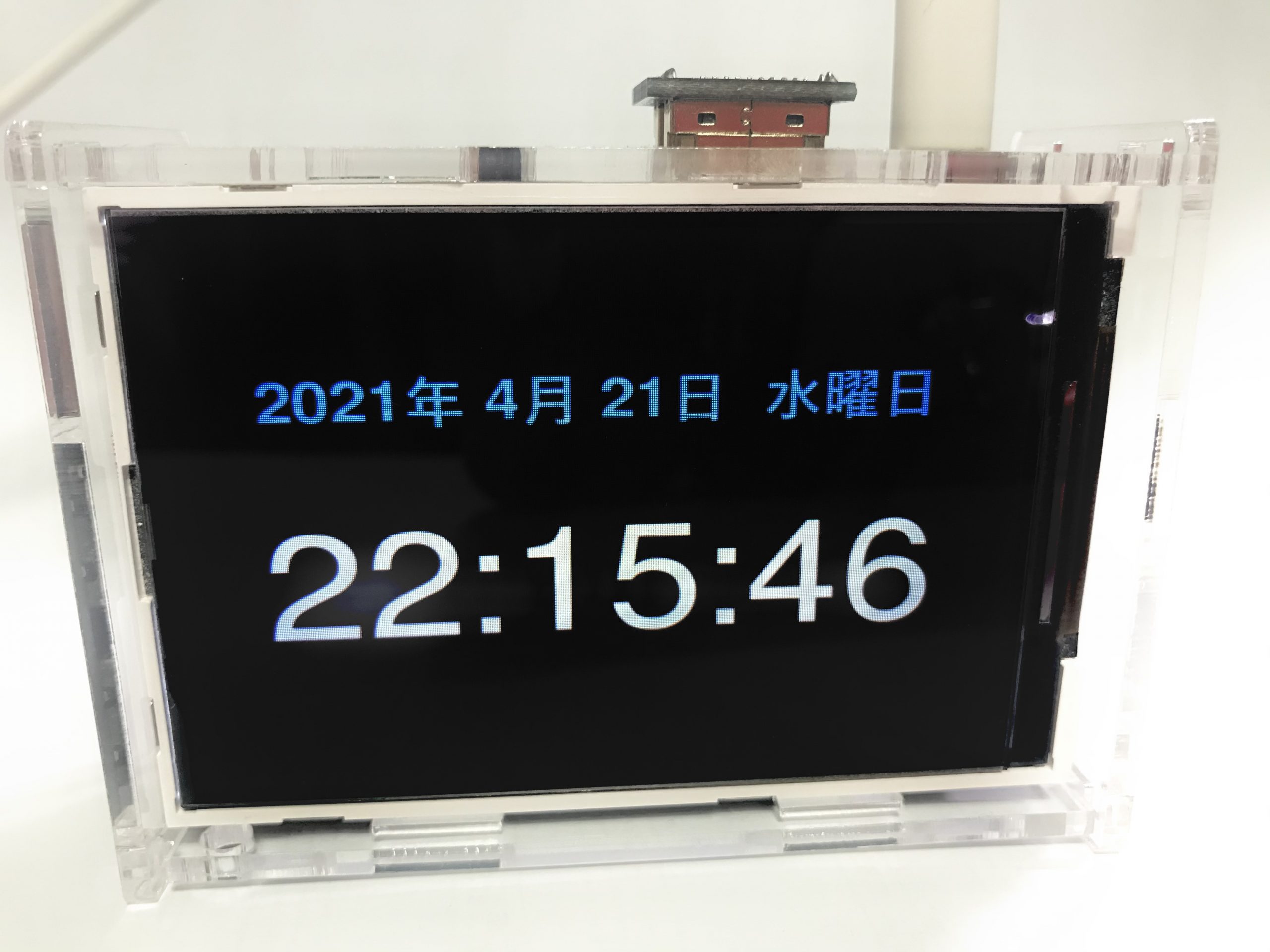
너무 오랜만에 찾아온 미소라.
사실은 여자력 키우느라 지난 2년간 두문불출하고 있었다.
위와 같이 생긴 시계를 만들어 보았다. 실은 2019년에 처음 만들어서 지금까지 시간관리를 위해 사용하고 있으며 이번에 만든 새 시계는 남아도는 라즈베리 파이 3 본체와 터치스크린 깨진 Waveshare HDMI 5인치 모니터를 이용해서 만들었다.
파이썬 코드는 웹에서 주워 왔고 기타 여러가지 부분(언어, 글꼴, 레이아웃 등)을 커스터마이징 해서 만들었다.
침실에 있는 미쳐 돌아가는 시계 대신 이 녀석을 둘까 한다.
1. 파이썬 코드 – 시계 메인 (clock.py)
# -*- coding: utf-8 -*-
import time
import subprocess
import tkinter as tk

def get_mousepos():
    curr = subprocess.check_output(["xdotool", "getmouselocation"]).decode("utf-8")
    return [int(it.split(":")[1]) for it in curr.split()[:2]]

def tick(time1=''):
    # get the current local time from the PC
    time2 = time.strftime('%-H:%M:%S')
    now = time.localtime()
    week = ('月', '火', '水', '木', '金', '土', '日' );
    clock_date_txt = time.strftime('%Y') + '年 ' + '%s' % (now.tm_mon) + '月 ' + time.strftime('%-d') + '日 ' + '%s曜日' % ( week[now.tm_wday] )
    clockblk_txt =""
    if time2 != time1:
        time1 = time2
        clock.config(text=time2)
        clock_date.config(text=clock_date_txt)
    clock.after(1000, tick)

def callback(event):
    root.state('withdrawn')
    from time import sleep
    current1 = get_mousepos()
    while True:
        time.sleep(20)
        current2 = get_mousepos()
        if current1 == current2:
            break
        current1 = current2
    root.state('normal')

root = tk.Tk()
root.configure(background='black')
root.overrideredirect(1)root.geometry('{}x{}'.format(640, 480))

clockblk = tk.Label(root, font=('FreeSans', 70, 'bold'), fg='white', bg='black')
clockblk.pack(side='top')

clock_date = tk.Label(root, font=('FreeSans', 35, 'bold'), fg='dodger blue', bg='black')
clock_date.pack(padx=0, pady=0)

clockblk = tk.Label(root, font=('FreeSans', 35, 'bold'), fg='white', bg='black')
clockblk.pack()

clock = tk.Label(root, font=('FreeSans', 100), fg='white', bg='black')
clock.pack(padx=0, pady=0)
tick()

root.mainloop()
2. 파이썬 코드 – 파이 본체 LED OFF (ledoff.py)
import os

os.system("sudo bash -c \"echo 0 > /sys/class/leds/PWR/brightness\"")
os.system("sudo bash -c \"echo 0 > /sys/class/leds/ACT/brightness\"")
3. 시계 실행 시 마우스 포인터를 보이지 않게 하는 설정
/etc/lightdm/lightdm.conf 을 편집기로 오픈한 후 [Seat*] 섹션에서 아래 부분처럼 수정
xserver-command = X -nocursor
4. 전원 ON시 자동 실행하기
.config/lxsession/LXDE-pi/autostart 파일을 sudo로 생성
@xset s off
@xset s noblank
@xset -dpms
@unclutter -idle 5 -root
@/usr/bin/python /home/pi/clock.py
@/usr/bin/python /home/pi/ledoff.py
이후 재시동해서 시계가 잘 작동하는가를 확인한다.
sudo reboot